Item Hibernation
Discover MononoMori's Hibernation feature. Temporarily conceal seasonal items, pending decluttering decisions, and low-frequency belongings to keep your daily space calm and focused, with instant retrieval via search and one-tap awakening.
Page Overview
A Quiet Rest for Things You Don't Need Right Now
“Not every unused item calls for an immediate goodbye, and not every possession needs to be in plain sight every day. Granting your belongings a quiet season of rest creates breathing room and serenity in your daily life.”
When organizing your belongings, do you often find yourself facing these dilemmas?
- Heavy winter coats, electric fans, or large travel luggage sit untouched for most of the year, yet seeing them every day in your main list creates unnecessary visual clutter;
- A thoughtful gift from a friend, or a beloved outfit you haven’t worn recently—you aren’t using it right now, but you can’t bring yourself to part with it or say goodbye;
- Appliance warranty receipts, instruction manuals, or spare screws—things you rarely read, but recorded purely as safe digital backups.
Keeping everything in your everyday list clutters your catalog and drains your focus. Yet performing a permanent farewell ritual into the Memory Forest or deleting them feels too hasty and irreversible.
“Hibernation” in MononoMori is designed specifically for this sweet spot: it functions as your digital “seasonal storage box” and “thought buffer corner,” letting dormant items rest quietly out of sight without burdening your present, while remaining instantly retrievable whenever you need them.
🍃 What is Hibernation?
In MononoMori, every item belongs to one of four natural lifecycle states:
- Active: Belongings currently in use, visible at all times across your daily woodlands and spaces;
- Hibernating: Items that are still very much part of your real life, but temporarily resting in concealment so they don’t crowd your daily view;
- Memory Forest (Farewell): Items that have physically departed your life (gifted, sold, or recycled), preserved with an emotional farewell ritual under the stars;
- Recycle Bin: Accidental entries or permanently discarded records.
When you put an item into Hibernation:
- Daily Invisibility: It quietly recedes from your primary woodlands, room spaces, and everyday category browsing, restoring visual calm;
- Complete Data Preservation: High-resolution photos, tags, purchase prices, dates, stories, and tree ring histories remain 100% intact;
- Instant Recall: Typing the item’s name or tag in the search bar pulls it up in milliseconds;
- Seamless Awakening: When a new season arrives or you’re ready to use it again, a single tap brings it right back to your active list.
🌙 How to Put an Item into Hibernation
Setting an item into Hibernation takes just two intuitive taps:
- Open the Item Detail screen;
- Tap the ”···” menu button in the top-right corner;
- Select the crescent moon option “Hibernate”.
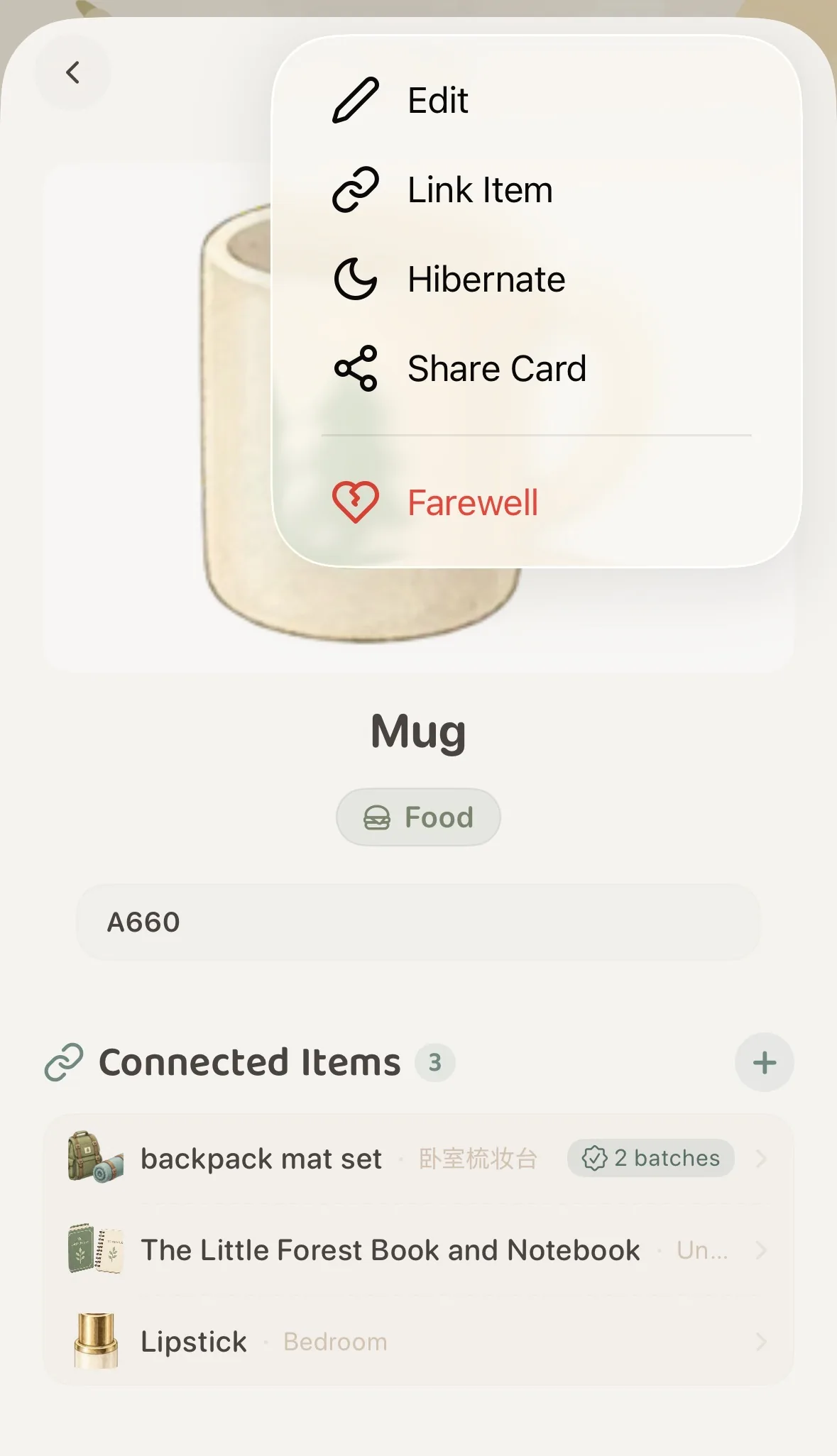 Tap the top-right menu and choose "Hibernate"
Once hibernated, a gentle notification banner appears across the top of the item detail page:
”🌙 Item is Hibernating · In hibernation. Hidden from everyday browsing.”
When you return to your main interface, the item will have gracefully stepped aside, leaving your daily forest spacious and uncluttered.
🔍 How to Find Hibernating Items
Hibernation never means losing track. Whenever you want to inspect or retrieve hibernating items, MononoMori offers two convenient paths:
Path 1: Global Search Bar (Instant Lookup)
Simply enter the item name, category, or tag in the top search bar. Hibernating items appear seamlessly in your search results, marked with a distinctive 💤 Hibernating status badge:
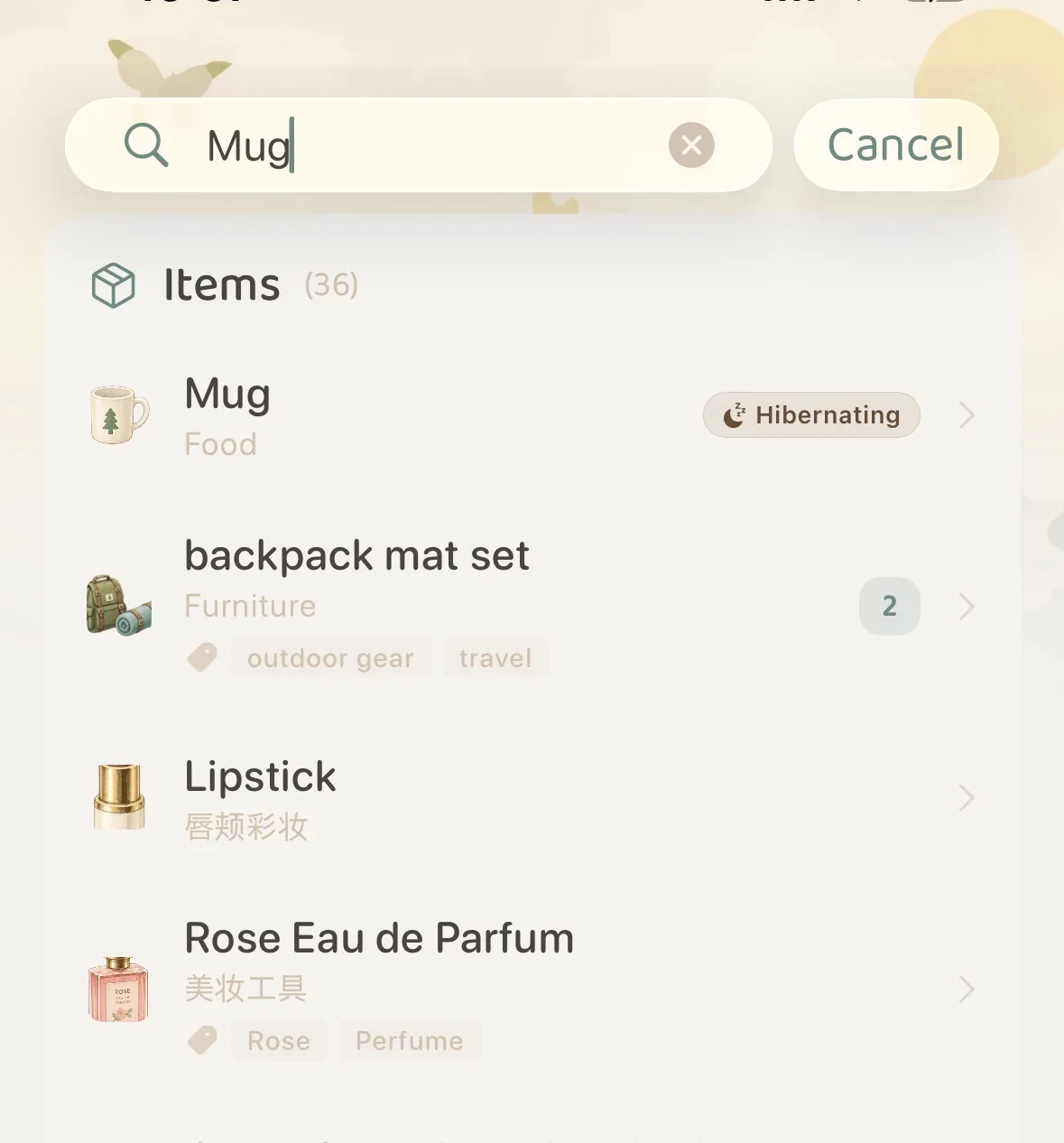 Search results show items with the exclusive "💤 Hibernating" badge
Tap the item in search results to directly view its details or awaken it on the spot.
Path 2: Advanced Filter Panel (Seasonal Audits & Batch Check)
When the seasons change and you want an overview of everything packed away in storage:
- Tap the “Filter” button (funnel icon) on the main toolbar;
- Switch to the “More” tab at the top of the panel;
- Under the “Hibernation” card, choose your preferred viewing mode:
- Active Items: (Default) Hides all sleeping items, maintaining a clean, minimalist daily view;
- All Items: Displays both active and hibernating belongings together;
- Hibernating Items: Filters exclusively for resting items, giving you an immediate look inside your digital storage locker.
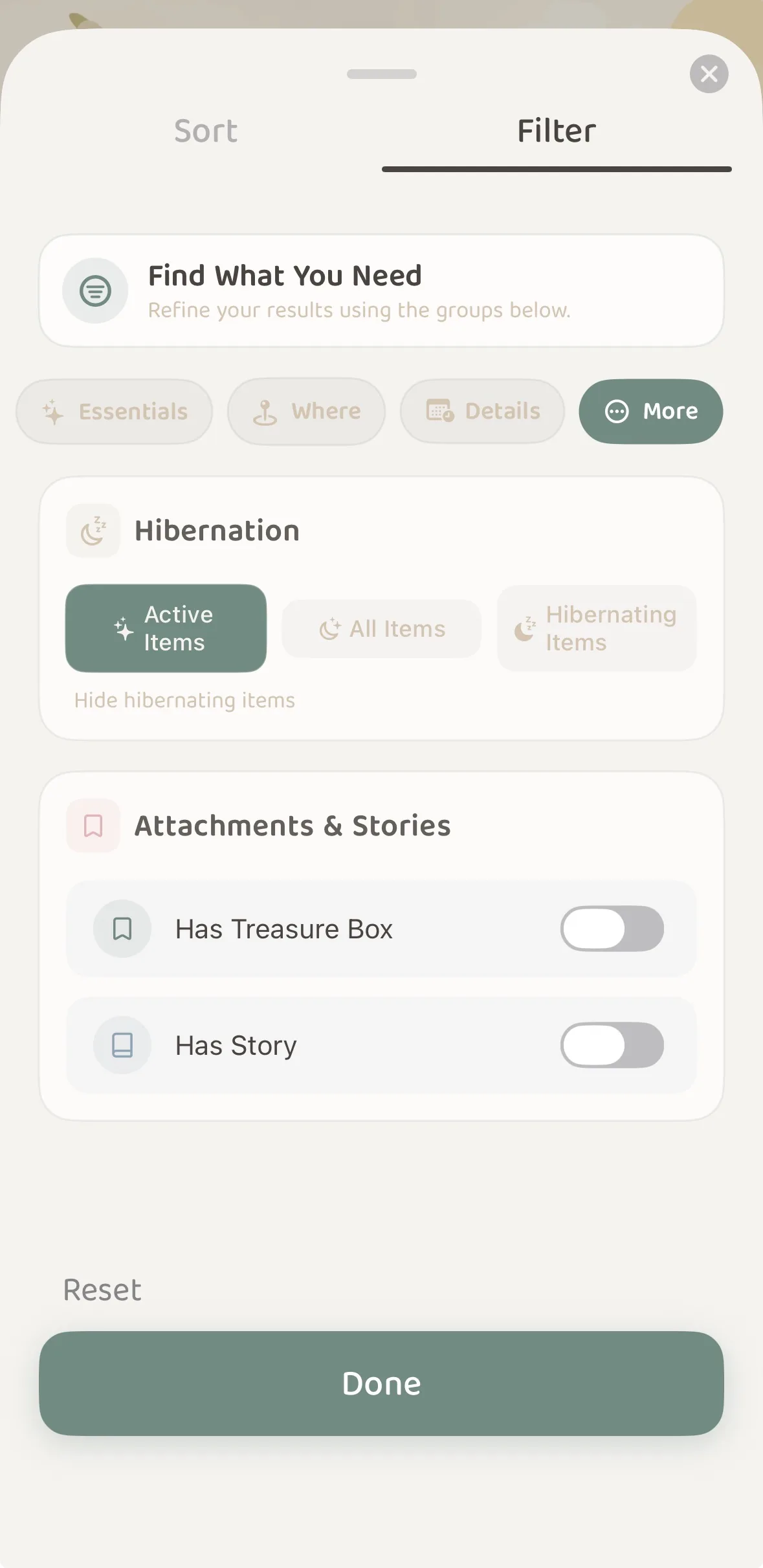 Filter panel under "More": Switch between Active, All, or Hibernating Items
☀️ How to “Awaken” an Item
When spring arrives and you need your lightweight jackets, or whenever you decide to bring an item back into daily use:
- Open the item’s Detail Page via Search or the Filter panel;
- On the right side of the top status banner, tap the warm ”🔅 Awaken” button;
- The item immediately returns to active status, reappearing in your daily woodlands and room spaces.
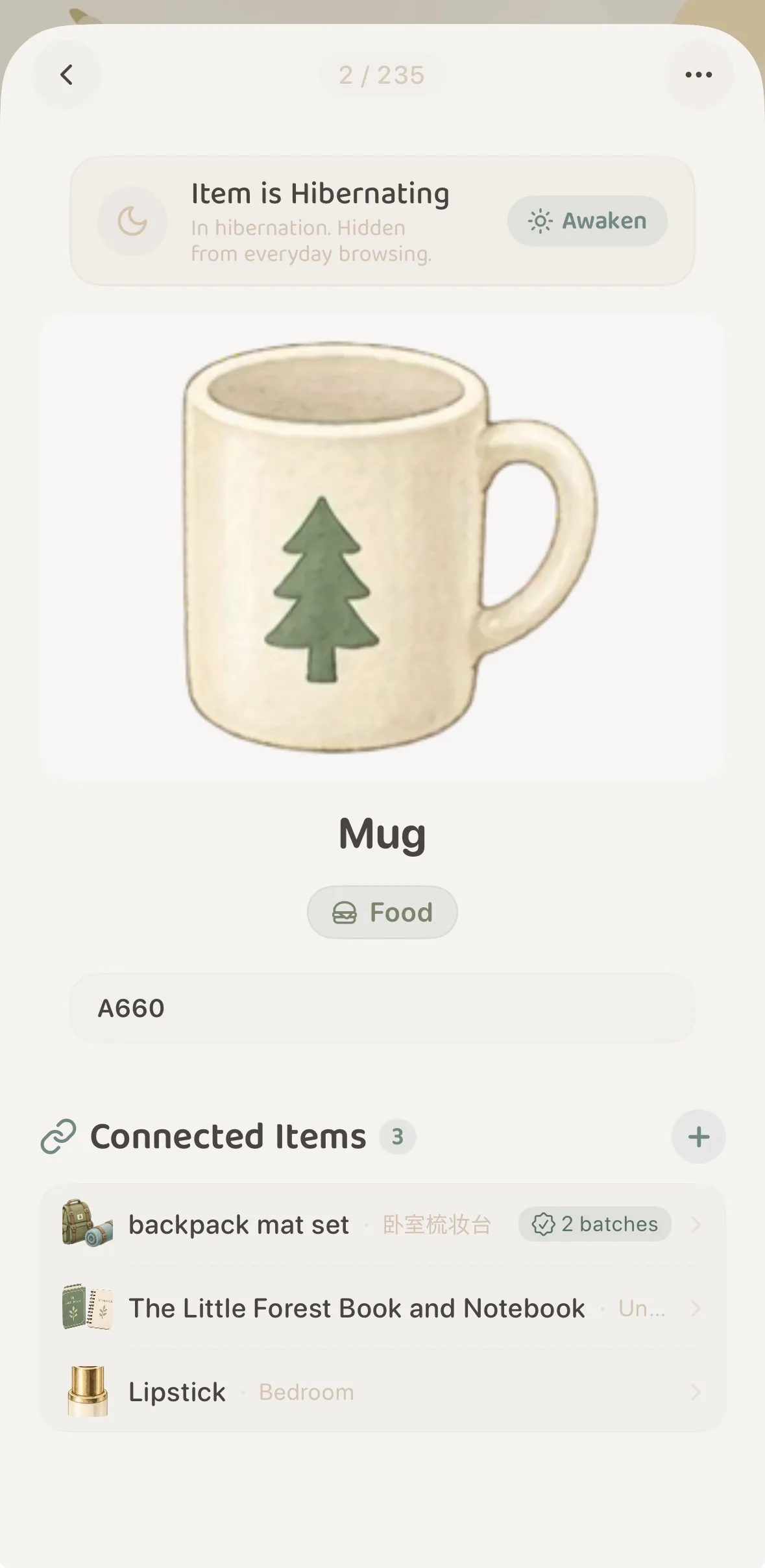 Tap "Awaken" in the status banner to restore the item instantly
🔗 Connected Items & Hibernation
If you hibernate an accessory, storage box, or charging cable, what happens to its linked items?
Nothing breaks.
- The relational bonds between your items remain completely intact;
- When viewing the “Connected Items” list on another item, sleeping items are rendered with a soft translucent tone accompanied by a
💤 Hibernatingindicator; - You always retain full visibility into how your belongings connect, without sleeping accessories polluting your everyday browsing.
💡 What Belongings are Best Suited for Hibernation?
Thoughtful organizing embraces the rhythm of “easy access for the current season, deep rest for everything else.” Here are five ideal candidates for Hibernation:
- Seasonal Wardrobe & Climate Appliances:
- Down jackets, thick duvets, and space heaters packed away for summer;
- Bamboo sleeping mats, parasols, desk fans, and swimwear stored for winter.
- Low-Frequency Specialty Gear:
- Camping tents, trekking poles, snowboard boots, and oversize overseas travel suitcases.
- The Mindful “Pending Box” for Decluttering:
- Keepsakes or clothing you rarely wear, but aren’t quite ready to part with. Put them into Hibernation for 3 to 6 months. If you don’t miss them at all during that period, an emotional farewell becomes much easier; if you do miss them, simply awaken them.
- Archival Paperwork, Manuals & Spare Parts:
- Warranty certificates, paper user manuals, and backup screws or hardware accessories. Recorded for safety, but best kept asleep until an emergency arises.
- Belongings Out on Loan or in Servicing:
- Books lent to friends, or watches and leather bags sent away for professional maintenance. They are temporarily away from your home, yet still yours. Hibernate them until they come back.
❓ Frequently Asked Questions (FAQ)
Q1: What is the difference between Hibernation and “Farewell (Memory Forest)”?
- Hibernation: The item remains in your physical life. It is only resting in temporary storage, ready to be awakened back to your active list at any time.
- Farewell (Memory Forest): The item has physically left your life (donated, sold, recycled, or worn out). MononoMori provides a peaceful ceremony to enshrine its photograph and memories forever in your starry night sky.
Q2: Will my photos, notes, or purchase records be compressed or lost during Hibernation?
Not at all. Hibernation is strictly a visual display toggle. All full-resolution images, notes, tags, dates, purchase prices, and tree ring logs remain completely intact and securely synced across devices via iCloud.
Q3: Can I still edit an item while it is hibernating?
Yes. Open the item’s detail page via Search or the Filter panel, tap the top-right menu, and you can edit attributes, add tags, or attach new tree ring milestones just like any active item.