Appliances · Warranties and manuals
The day it breaks, no more digging through drawers.
Model number, purchase date, warranty end date, receipt and manual: one page per appliance. Before you call support, open MononoMori. Everything they'll ask is on one screen.
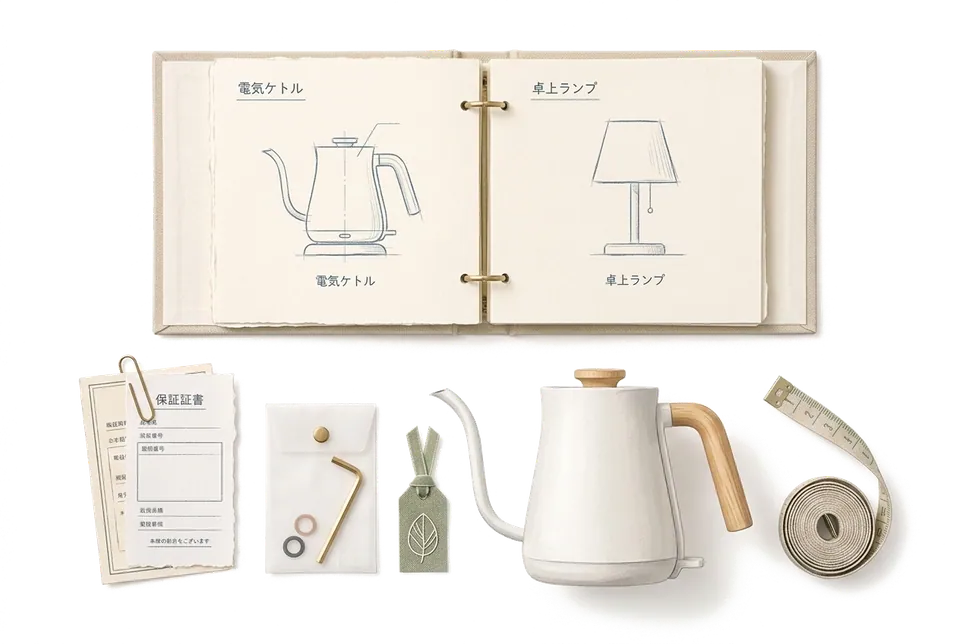
One appliance, one page
As clear as the label on the back of the machine.
In your appliance category, open What to track? and turn on Brand, Model, Purchase Date, Price and Warranty Information. The receipt, warranty card and manual go in its Treasure Box and live right with it.
- Model
- WD-K1080S
- Purchased
- Nov 8, 2024
- Status
- In Use
- Warranty
- 3 years · to Nov 8, 2027 1 yr 1 mo of warranty left
Treasure Box
- Receipt
- Warranty card
- Manual
Bathroom › Laundry corner
- Model
- AC-S35V
- Purchased
- Jun 20, 2021
- Status
- In Use
- Warranty
- 3 years · expired Warranty ended
Treasure Box
- Receipt
- Install record
Bedroom › Wall
- Model
- VC-M12
- Purchased
- Dec 12, 2025
- Status
- In Repair
- Warranty
- 2 years · to Dec 12, 2027 1 yr 2 mo of warranty left
Treasure Box
- Receipt
- Warranty card
- Repair ticket
Storage › Charging rack
- Model
- EC-210
- Purchased
- Aug 2, 2026
- Status
- Brand New
- Warranty
- 1 year · to Aug 2, 2027 10 months of warranty left
Treasure Box
- Receipt
- Manual
- Close-up photos
Kitchen › Counter
Sunday, 9:12 am
The day the washer threw an error.
Support will always ask: What model? When did you buy it? Is it still under warranty? Those answers shouldn't depend on your memory.
- 9:12 E21 on the display Search "washer" in MononoMori. The model, purchase date and warranty end date are all on one page.
- 9:15 Open the Treasure Box Look up E21 in the manual. Photos of the receipt and warranty card are there too. No drawer to dig through.
- 9:20 Switch to In Repair Set the status to In Repair and note the ticket number and visit time. Anyone at home can see what's going on.
- A week later Fixed, and noted Set it back to In Use and use Record Thought to note which part was replaced. Next time, this machine's whole history is in its Year Ring.
- HEPA filters × 2 Last replaced · Aug 3
- Carpet brush head Storage › Bin
- Charging dock Storage › Wall
"Last replaced" is a custom date field. Track whatever date you like.
Filters, brush heads and docks
Parts stay with the machine, instead of drifting off.
Item Connections link a machine to its parts. Open the vacuum and the filters, spare brush head and dock are right there. Open a filter and you can see which machine it belongs to.
After a few years, it costs pennies a day.
Add the price and purchase date, and MononoMori works out the daily cost. You'll know which machine has paid its way and whether it's time for a new one. The day you sell it or give it away, say farewell with Sold or Gifted, and its story stays in the Memory Forest.
Every receipt and manual has a quiet place to go.
Warranty cards, receipts, manuals, and that one screw no one can place. Photograph them, file them under the appliance they belong to, and the drawer can finally be emptied.
User guide
When you are ready to start, read these.
- Add Your First Item Start by entering an item name, and learn when to enrich location, category, photos, and custom details at your own pace.
- Categories & Custom Attributes Explore MononoMori's category system and custom attributes: from Japanese nature palette themes and transparent SVG icons to multi-field configs, multi-currency logging, and daily cost tracking.
- Item & Basket Connections Discover Item Connections and Basket Connections. Learn how to link complementary belongings or related task lists step by step, and unlink them whenever needed.
- Status Management & Multi-Dimensional Evaluation Master MononoMori's Status Management and evaluation system: built-in states, custom statuses, batch-specific status assignment, and expansive multi-dimensional rating mindsets.
One-minute shorts
Before you start
About warranties, here's where the lines are.
- No notifications for warranty dates Expiry notifications follow the Expiry Date only. You can record warranties and filter by In Warranty or Warranty Expired, and the category overview's Upcoming Dates lists machines whose warranty ends within 60 days, but no notification is sent.
- The maker's terms are what count Your records are what you entered. For coverage and conditions, go by the manufacturer and the store.
- No barcode scanning There's no barcode or QR code scanner. Copy the model number from the label on the machine, and save a photo of the label too.
Questions
Things you may want to know first.
How do I keep manuals and receipts?
Put them in the item's Treasure Box, which holds attachments like receipts, manuals, warranty cards or close-up photos. Supported file types are shown in the app. In the Items tab, you can also filter for items with Treasure Box attachments.
Can I search by model number?
Yes. Search covers names, notes, tags, categories, locations and some attributes like brand and model. When you call for a repair, search the model number to pull up the machine.
Will it remind me before a warranty ends?
Expiry notifications follow the Expiry Date only, so a warranty end date won't send one. Record the warranty length and end date anyway, and every so often check Upcoming Dates in the category overview, or filter by In Warranty, to see which machines are close.
How do I track something out for repair?
Set its status to the built-in In Repair and note the ticket number and appointment in the notes. Once it's back, switch it to In Use.
If I sell an old appliance, is the record gone?
No. Say farewell with Sold or Gifted, and it goes to the Memory Forest with its photos and story. It no longer shows up in your everyday appliance list.
Can my family see it too?
MononoMori doesn't have family sharing yet. An iPhone, iPad and Mac on the same Apple ID can sync through iCloud (Plus or Premium).
MononoMori
Every machine that keeps your home running deserves a proper page.
Start with the one you bought most recently. The next time it acts up, you'll thank yourself.
More ways to use it
MononoMori works here too.
-
 Cosmetics & Skincare Shelf Life Stop guessing expiry dates. Cherish every product.
 -
 Anime & Fandom Collectibles As your passions grow, never lose track of your grails.
 -
 Physical Video Game Library The games you love, never lost in the depths of a shelf.
 -
 Emergency Kit & Go-Bag Inventory The supplies you prepared, never forgotten when needed.
 -
 Moving Boxes & Storage Bins Once the boxes are taped shut, nothing has to vanish.