Vanity · Skincare and makeup
Note the day you open it, and stop guessing if it's expired.
Serum, foundation, mascara: each one lasts a different time once opened. Note the day you opened it and how long it's good for. What's about to expire moves to the front, and the bottle you finish gets a proper goodbye.
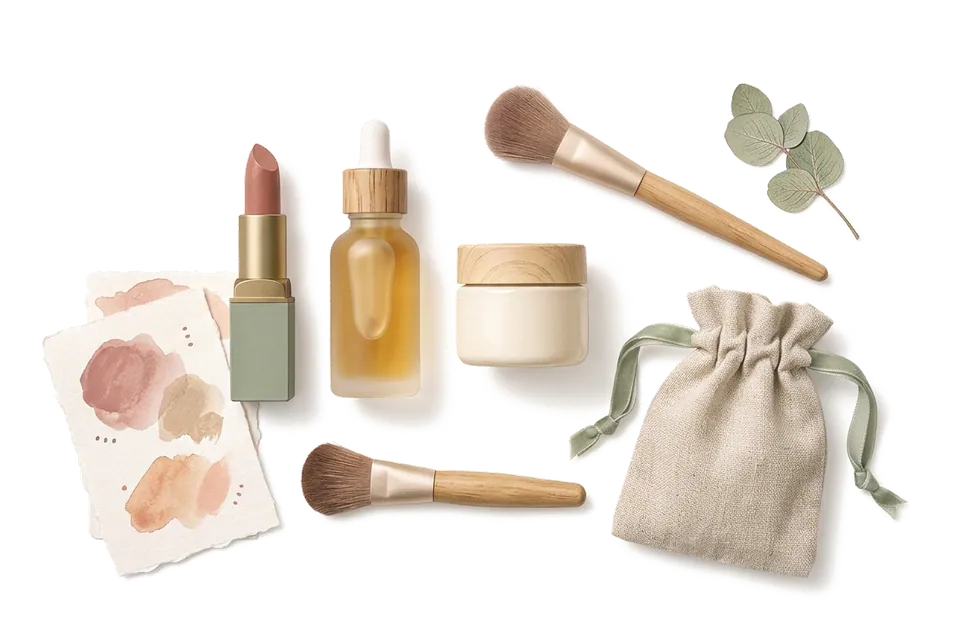
Before your morning makeup
What's expiring soon rises to the top.
Turn on Expiry Date for makeup and add an "Opened on" field. Group by expiry status and the soon-to-expire ones come first. The Falling Leaves widget puts them on your Home Screen, and a notification arrives before each one expires.
Illustrative screen · Try it
- Vitamin C serum Skincare · 6 months after opening · Opened Mar 2 Vanity › Top shelf 5 days left
- Sunscreen SPF 50 Skincare · 12 months after opening · Opened last October Entryway › Daily bag 12 days left
- Long-wear foundation Makeup · 12 months after opening · Opened Jan 15 Vanity › Makeup bag 7 months left
- Velvet lip tint #12 Makeup · 18 months after opening · Opened last December Vanity › Lip box 1 year left
- Lengthening mascara Makeup · 3 months after opening · Opened last November Vanity › Drawer Expired 2 months ago
When you stock up
Three bottles of the same thing. Which one first?
The Batch Manager splits one item into batches, each with its own count, status, location and note. The one in use, the backups and the ones waiting to be opened are easy to tell apart.
- In Use 1 bottle Bathroom › Sink Opened in March
- Spare 1 bottle Closet › Backup box Expires Aug 2027, use this one next
- Spare 1 bottle Closet › Backup box Black Friday haul, expires 2028
Next time it lands in your cart, take a look first: you still have two.
- Shade
- #12 Rosewood
- Finish
- Velvet matte
- Season
- Fall · Winter
- Opened on
- Dec 20, 2025
- How much I love it
- Signature shade
Six field types: text, number, date, toggle, single select and multi-select.
Shades and finishes
Every lipstick, recorded your way.
Give "Lip & Cheek" its own fields: shade, finish, best season. Turn on filtering, and when you want a matte rosy nude for fall, one filter brings it up.
When it's finished
The bottle you finished deserves a proper goodbye.
Say farewell with Worn Out, and it goes to the Memory Forest with its photo and a line you wrote. Look back at the end of the year and see what you used up and which bottle you loved most.
Items said goodbye to with Worn Out can be brought back by default. Buy the same one again? Find it in the Memory Forest.
- Hydrating toner “My third bottle, will buy again”
- Lip balm “Got me through a whole winter”
- Eye makeup remover “Want something gentler next”
- Travel-size cleanser “Finished it on the Kyoto trip”
User guide
When you are ready to start, read these.
- Categories & Custom Attributes Explore MononoMori's category system and custom attributes: from Japanese nature palette themes and transparent SVG icons to multi-field configs, multi-currency logging, and daily cost tracking.
- Home Screen Widgets: Keep Items and Memories Close Meet Forest Today, Falling Leaves, Today's Reunion and Today's Treasure. Learn to add widgets, choose their scope, adjust name and photo display, and troubleshoot updates.
- Status Management & Multi-Dimensional Evaluation Master MononoMori's Status Management and evaluation system: built-in states, custom statuses, batch-specific status assignment, and expansive multi-dimensional rating mindsets.
- Item Deletion & Farewell Ritual Master MononoMori's dual-track disposal and Farewell Ritual. Separate effortless trash cleanup from solemn goodbyes, record touching companion stories, and gently dissolve separation anxiety.
One-minute shorts
Before you start
About dates, a few things up front.
- You do the shelf-life math MononoMori doesn't work out the expiry date from the period after opening. When you open it, put the last good day in Expiry Date.
- Allow notifications first MononoMori sends a notification 7, 3 and 1 day before an Expiry Date. Allow notifications when asked; you can change the timing and time in Settings under Expiry Reminder.
- It doesn't replace your judgment Dates are only a guide. If something changes color, smells off or separates, stop using it.
Questions
Things you may want to know first.
How do I track products with different PAO times?
When you open it, use the period-after-opening symbol on the pack (like 6M or 12M) to work out the last good day, and put that in Expiry Date. You can also add an "Opened on" field to look back on later.
Will it remind me before something expires?
Yes. Items with an Expiry Date get a notification 7, 3 and 1 day before it, and you can change the days and time in Settings under Expiry Reminder. Items that expired in the last 30 days or expire in the next 7 also show up in Falling Leaves in the app and on the Falling Leaves widget, where you can mark them handled or snooze them.
Can I keep my makeup bag and vanity separate?
Yes. Set your vanity, makeup bag and bathroom as separate locations, then group or filter by location. Before a trip, make a "Travel makeup bag" basket and pack it from the checklist.
I have several of one product. Do I need several records?
No. The Batch Manager keeps them under one item, each batch with its own count, status, location and note. The total adds up on its own.
Can I record shades and swatch photos?
Yes. Add a "Shade" text field to your makeup category and put swatch photos in the item's photos or Treasure Box. Turn on Show in List Summary and the shade appears right on the card.
Can I use all this on the free plan?
The core organizing features are free, including adding items, categories, tags, expiry dates, baskets and farewells. Custom fields work on every plan too. The free plan allows up to 3 groves, 10 locations and 30 in-stock items in total (counted by quantity); iCloud sync and Export as Spreadsheet need Plus or Premium.
MononoMori
Every bottle on your vanity, used while it's at its best.
Start with the few you reach for most. Note the day you open them, and leave the rest to MononoMori.
More ways to use it
MononoMori works here too.
-
 Anime & Fandom Collectibles As your passions grow, never lose track of your grails.
 -
 Home Tech, Appliances & Warranties When an appliance acts up, never dig through drawers.
 -
 Physical Video Game Library The games you love, never lost in the depths of a shelf.
 -
 Emergency Kit & Go-Bag Inventory The supplies you prepared, never forgotten when needed.
 -
 Moving Boxes & Storage Bins Once the boxes are taped shut, nothing has to vanish.